
POS SOFTWARE FOR MASSACHUSETTS CANNABIS RETAILERS: DATA BACKUPS
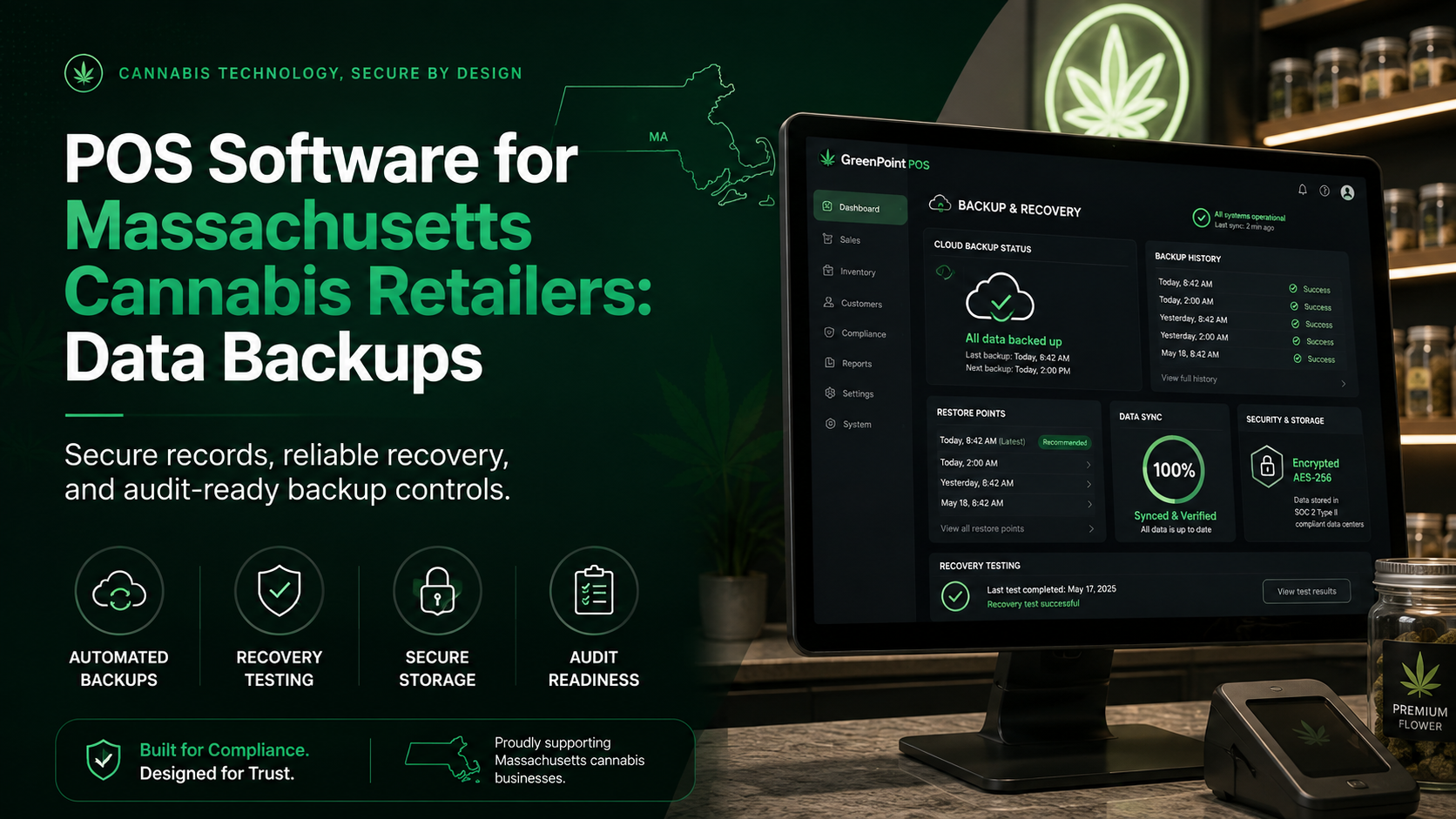
A cannabis dispensary depends on its point-of-sale system for far more than checkout. The POS can hold transaction histories, tax details, inventory records, employee activity, and audit trails. If that data becomes unavailable after a failure, cyber incident, or software error, the store can face both operational and recordkeeping problems.
For retailers using IndicaOnline dispensary software in Massachusetts, backup planning should be part of normal operations rather than an emergency IT task. A useful backup is not simply a copy of data; it is a copy that can be located, verified, and restored when the business needs it.
Massachusetts Department of Revenue rules require auditable internal controls for POS records, including a separate and accessible platform that continually backs up POS data. Retailers should know how recovery works if the primary POS becomes inaccessible.
Why POS Backups Matter for Cannabis Retailers
Cannabis stores operate in a highly documented environment. Losing part of the sales history can make tax, inventory, and compliance reconciliation much harder.
A backup strategy helps protect against:
- hardware failure;
- accidental deletion;
- corrupted databases;
- cyber incidents;
- failed updates;
- theft or physical damage.
The purpose of backup is business continuity and record integrity, not merely file storage.
What Massachusetts POS Records Should Be Protected
A Massachusetts dispensary POS platform generates records that matter during audits and reconciliation. Backup planning should cover the full record set, not only revenue totals.
Important data may include:
- transaction-level sales records;
- item, price, and tax information;
- terminal and transaction numbers;
- payment methods;
- void and cancellation history;
- employee activity;
- system configuration changes;
- accounting or tax reports.
Massachusetts rules require POS records to contain enough detail to determine the taxability of each sale and support reconciliation with receipts, invoices, books, and returns.
Keep Backups Separate From the Primary POS
One of the most important backup principles is separation. A copy stored only on the same computer as the live database is vulnerable to many of the same failures as the original.
The backup environment should be independent enough that a primary-system failure does not destroy or block access to the copy.
Avoid a Single Point of Failure
If the register, server, and backup rely on one device, one failure can remove every copy. One compromised account should not be able to erase both live data and backups.
A stronger setup can include:
- an independent backup location;
- controlled access;
- historical versions;
- documented recovery procedures.
Redundancy matters only when the copies are genuinely independent.
Decide How Often Data Should Be Backed Up
Backup frequency should reflect how much recent information the dispensary can afford to lose.
Two useful concepts are:
- Recovery Point Objective (RPO): how much recent data can be lost;
- Recovery Time Objective (RTO): how quickly access must be restored.
If losing several hours of transactions would create a serious reconciliation problem, the backup schedule should reflect that risk.
Keep More Than the Latest Copy
Overwriting the same backup creates another weakness: the newest copy may already contain unnoticed corruption. Keep several restore points so managers can recover data from before an incident began.
Document the Retention Policy
The policy should state:
- which data is protected;
- how often copies are created;
- how long versions are retained;
- where backups are stored;
- who can access them;
- who tests recovery.
Encrypt Backups and Control Access
POS backups may contain sensitive transactional information and should not become an easier target than the production system.
Retailers should consider:
- encryption for stored data;
- encrypted transfers;
- role-based access;
- unique administrator accounts;
- multi-factor authentication where supported.
Employees should have only the backup access required for their responsibilities.
Test Whether Backups Can Be Restored
A backup that has never been tested is only an assumption. Files may exist but be incomplete, corrupted, or incompatible with the current environment.
Run Recovery Tests
Periodically simulate restoration and ask:
- Can the correct backup be located?
- Can authorized staff access it?
- Can the data be restored?
- Are transaction details complete?
- Do totals reconcile with known reports?
- Can required records be exported?
Recovery testing turns a backup policy into evidence that the process actually works.
Document the test date, backup version, result, and any corrective action.
Plan for POS Failure and Data Loss
Massachusetts rules also address situations in which a POS fails, crashes, loses data, or becomes inaccessible. The user may need contemporaneous documentation from a third-party vendor describing the cause and duration of the incident, affected data, repairs, and what information was salvageable.
A store response checklist can include:
- record when the failure began;
- contact the POS provider;
- preserve error messages;
- identify affected terminals and time periods;
- document recovered data;
- reconcile restored records.
Incident documentation should begin while the details are still fresh.
Coordinate Backups With Metrc and Other Systems
A Metrc-compliant POS for Massachusetts may exchange data with seed-to-sale, payment, accounting, or online ordering tools. A POS backup does not necessarily protect every connected platform.
Managers should understand which system is the system of record for each data type and how records can be reconstructed after a failure. Restored POS data should be compared with relevant inventory and reporting records instead of accepted blindly.
Questions to Ask a POS Vendor About Backups
Before choosing dispensary software in Massachusetts, retailers should ask specific recovery questions instead of accepting a general claim that the platform is “cloud-based.”
Ask:
- Is POS data backed up on a separate platform?
- How frequently are backups created?
- How many historical versions are retained?
- Are backups encrypted?
- Who can access or delete them?
- How is restoration requested?
- Can transaction-level records be exported?
- What documentation follows a data-loss incident?
Document the answers and review them after major system changes.
Build a Simple Backup Governance Routine
A cannabis POS for Massachusetts dispensaries should be supported by a written process assigning ownership for backup review.
A periodic check can confirm that:
- backups are completing successfully;
- failed jobs are investigated;
- access permissions remain appropriate;
- recovery tests are current;
- retention settings match policy;
- escalation contacts are up to date.
For the underlying state requirements, retailers should review the Massachusetts Department of Revenue POS record-retention regulation, 830 CMR 62C.25.1, which covers electronic records, POS audit trails, backup controls, and retention.
Final Takeaway
Data backups are not just an IT feature for Massachusetts dispensaries. They are part of keeping sales records available, auditable, and recoverable when something goes wrong.
A strong Massachusetts cannabis POS backup strategy uses independent storage, controlled access, multiple restore points, documented retention rules, and regular recovery testing. The real measure of a backup system is not whether a copy exists, but whether the dispensary can restore trustworthy records and prove that those records are complete.