
UNDERSTANDING IPAD KIOSK MODE
Kiosk mode on iPads typically relies on built-in device management features that allow administrators to lock the device into a single application. This can be useful for point-of-sale systems, check-in stations, surveys, product catalogs, or digital signage. However, managing multiple devices across locations requires more than simply enabling a single-app restriction.
Organizations often need centralized oversight. This includes the ability to:
-
Remotely configure devices
-
Push app updates
-
Monitor device status
-
Enforce security policies
-
Reset devices when necessary
Without centralized management, maintaining consistency across multiple iPads can become time-consuming and difficult.
Types of Apps Used for Kiosk Management
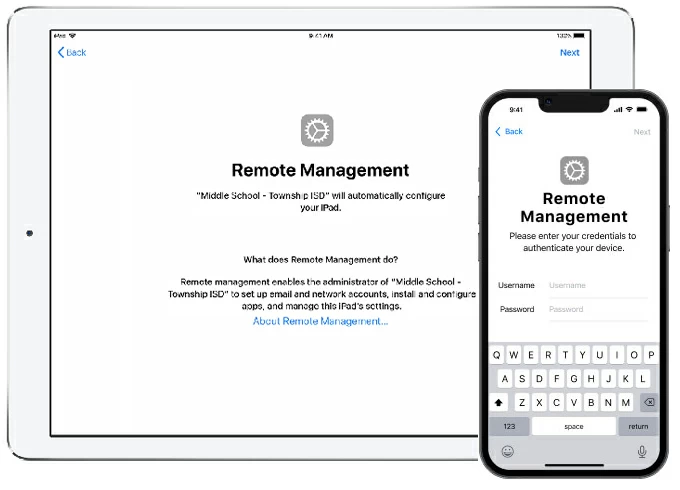
Reliable kiosk management generally involves mobile device management (MDM) platforms or dedicated kiosk management applications. These tools operate at the system level, allowing administrators to configure restrictions, manage apps, and monitor usage remotely.
Most solutions offer features such as:
-
Single-app or multi-app kiosk configuration
-
Remote lock and wipe capabilities
-
App distribution and updates
-
Wi-Fi and network configuration management
-
Security policy enforcement
-
Device usage reporting
Some organizations rely solely on built-in device management tools, while others use more comprehensive management platforms designed specifically for enterprise device fleets.
What Makes a Kiosk Management App Reliable?


Reliability in kiosk management tools is typically evaluated based on stability, security, scalability, and administrative control.
Stability refers to how consistently the system maintains kiosk restrictions without crashes or unintended exits from the designated app. In public-facing environments, interruptions can disrupt operations and affect user experience.
Security is another important factor. A reliable app should prevent unauthorized changes, restrict access to device settings, and allow secure remote management. Strong authentication controls and encrypted communication between devices and management consoles are commonly expected features.
Scalability becomes relevant when organizations deploy dozens or hundreds of iPads. A management solution should allow bulk configuration and centralized oversight rather than requiring manual setup of each device.
Administrative visibility also plays a role. Real-time monitoring, device health reporting, and usage analytics help ensure that deployed devices function as intended.
Choosing an Appropriate Management Approach
The choice of a kiosk management app often depends on the organization’s size and technical requirements. Smaller deployments may only require basic configuration tools, while larger environments benefit from more comprehensive device management systems.
Factors typically considered include:
-
Number of devices being deployed
-
Geographic distribution of devices
-
Level of security required
-
Integration with existing IT infrastructure
-
Technical expertise available for setup and maintenance
In addition, compatibility with the operating system version and long-term support for updates are important considerations. iPads receive periodic software updates, and management tools must remain compatible to maintain functionality.
For a structured breakdown of what to evaluate when comparing different systems, this detailed explanation provides a broader overview of reliability factors and selection criteria:
Common Use Cases for Kiosk-Managed iPads
Different industries apply kiosk mode in different ways. In retail environments, iPads may be used for product browsing, checkout assistance, or inventory lookup. In healthcare settings, they may support patient check-in or feedback collection. Educational institutions sometimes deploy kiosk-configured iPads for registration, library access, or visitor management.
Each use case may require different configurations. For example:
-
Retail kiosks often prioritize payment app stability and network reliability.
-
Event check-in stations may require temporary configuration with rapid setup and removal.
-
Corporate environments may require additional authentication layers or restricted network access.
The reliability of the management app influences how smoothly these scenarios operate.
Ongoing Maintenance and Oversight
Deploying kiosk-managed iPads is not a one-time task. Devices require ongoing monitoring to ensure apps remain functional, security policies stay updated, and hardware issues are identified early.
Reliable management systems typically allow administrators to:
-
Detect offline devices
-
Schedule automatic app updates
-
Apply security patches
-
Remotely restart devices
-
Generate usage reports
Regular review of device performance helps maintain consistent operation, particularly in public-facing environments where downtime can affect service delivery.
Final Considerations
There are reliable apps available for managing iPads in kiosk mode, particularly those designed to support centralized device management and long-term administrative control. The suitability of a given solution depends on deployment scale, security needs, and operational complexity.
By evaluating stability, security features, administrative visibility, and compatibility with existing systems, organizations can determine which type of kiosk management tool aligns with their operational requirements.